
Round vs Square Stickers: Which Shape Suits Your Design?
Oct 12, 2026
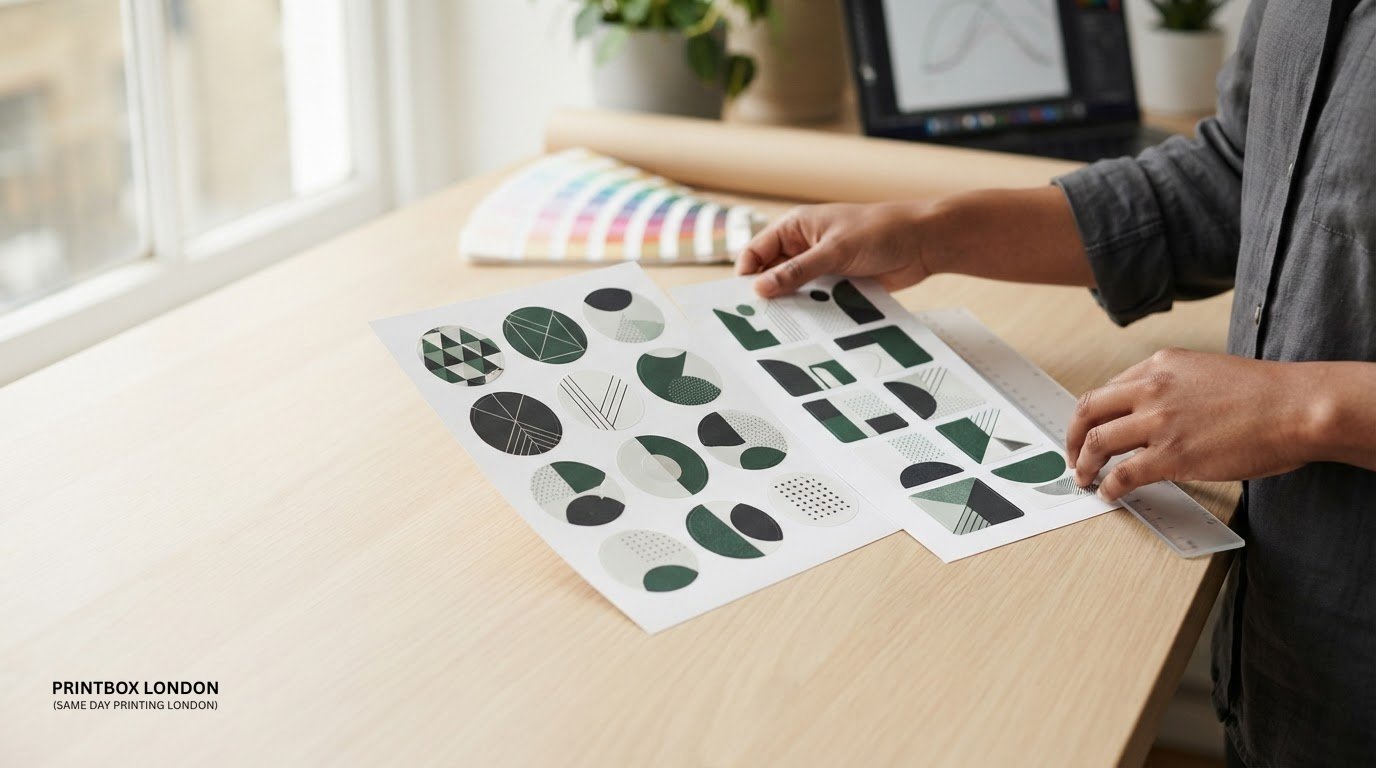
The right choice between round and square stickers depends on your artwork and where the sticker will go. A centred logo or compact emblem may sit naturally in a circle, while a square can give text and separate design elements straight edges to align with.
Before choosing, check that the logo, wording and other essential details fit comfortably inside the outline at the finished size. Also measure the area where the sticker will be placed. Neither shape is right for every design, and a quick comparison using the actual dimensions can prevent cramped text or awkward empty space.
This guide compares round and square stickers by layout, placement and artwork preparation. Printbox London (Same Day Printing London) produces custom stickers and labels in sheet-based shapes and sizes. Same-day printing is available for selected quantities and specifications; turnaround depends on the order, artwork readiness and production workload. Printbox London (Same Day Printing London) also provides in-store photo services; see the information about passport photos in London and passport, visa and ID photos.
Key Takeaways
- Choose a sticker shape according to how your artwork fits, rather than a fixed rule about which shape looks better.
- Check that logos, wording and other key details remain readable at the finished size and sit clear of the edge.
- Measure the placement area and compare the sticker outline with the packaging or surface where it will be used.
- Settle the shape and finished size before preparing the final artwork.
- When requesting a quote, have the shape, size, quantity, artwork, material preference and required deadline ready.
Round vs square stickers: what changes when you choose a shape?
Neither shape is automatically right for every design. A circle has a curved boundary that draws attention towards the centre. A square has straight edges and corners that can help frame aligned elements. The practical test is how your artwork fits inside the outline at the finished size and on the surface where you plan to use it.
Sticker shapes and sizes can vary. The general Sticker overview also describes stickers as items made in varied shapes and sizes. For your own design, compare the outline with the logo, wording and placement rather than relying on a general rule about shape.
| Design check | Round | Square |
|---|---|---|
| Layout | Can frame centred artwork or a compact mark. | Can suit text blocks and elements aligned along straight edges. |
| Visual feel | Curved outline; the eye is drawn towards the centre. | Defined corners; the layout can feel more structured. |
| Placement | Check whether the circular outline sits comfortably on the chosen area. | Check whether the edges and corners fit the available space. |
How round stickers frame a design
A circular boundary can work well for a centred logo, a compact emblem or a simple graphic with clear space around it. For example, a hypothetical coffee roaster might use a central symbol with the name arranged around it. Long wording or a wide logo needs more careful spacing, as letters near the sides can feel crowded. Check the design at its intended print size, not only when enlarged on screen.
How square stickers use their available space
Straight edges can help organise a logo, short product details and a small graphic into aligned areas. A hypothetical candle label, for instance, might place its brand name above a scent name. The corners are part of the composition too, so keep important details comfortably inside the edges and avoid squeezing decorative elements into the corners. Square sticker printing is one format to consider.
A square does not always provide more usable space. The artwork’s proportions, lettering and margins determine what fits cleanly. A circular design placed inside a square may leave unused corners, while a wide block of text inside a circle may need a different arrangement. Judge the full composition, not just the outline.
To compare round vs square stickers, place the same artwork inside both outlines at the same finished size. Check whether the logo is centred, the text is easy to read and key details have enough clearance from the edge. Then compare both versions with the actual packaging or placement area. Printbox London (Same Day Printing London) produces custom sheet-based sticker shapes and sizes, so you can specify a shape and dimensions suited to your design and intended use.
How sticker shape affects logo, text and artwork layout
The outline does not make a logo or label design better or worse. It changes the space the design has to work with. A layout that feels balanced in a square may look crowded in a circle, while a centred symbol can seem lost if there is too much empty space around it in a square. Review the composition inside the finished boundary.
Shape can also influence how a design is read. Curves may draw attention towards a focal point, while straight edges can give separate elements a clear order. The Science of Shapes: How Geometry Shapes Visual Communication discusses how geometry contributes to visual communication. Treat the outline as one design choice alongside colour, wording and visual hierarchy.
When a circular layout may fit better
A circle can suit artwork built around one focal point, such as a compact emblem with a symbol at its centre. It can also give a small logo a clear frame without extra layout elements. But not every logo is designed for a circular space. Check that any curved wording follows the edge comfortably and does not sit so close to it that it feels squeezed.
When a square layout may fit better
A square can help organise several elements, such as a logo above a product name and a short line of supporting text. Its straight sides make it easier to create a simple grid, but details can feel cramped if they sit too close to the corners. Keep essential wording and symbols comfortably inside the boundary.
Use these visual checks before settling on a shape:
- Centring: Does the main symbol look balanced within the outline, or does it seem off-centre?
- Breathing room: Is there clear space around the logo and wording without making the design feel adrift?
- Readability: Can you read the smallest text at the intended finished size?
- Edge clearance: Are important details far enough from the boundary, including the square’s corners or the circle’s curve?
Preview the artwork at actual size rather than relying on a zoomed-in screen view. If the sticker carries several lines of copy, check the reading order: the brand, product name and supporting details should be easy to distinguish. If a line only fits when reduced until it is hard to read, shorten the wording or rethink the layout.
Artwork requirements depend on the sticker format and job. A 3 mm bleed is common, but it is not universal for every product. Keep key content inside a safe margin and use the relevant setup for the specific job. A print-ready PDF is preferred; raster artwork should be suitable for the final size, with a target of 300 dpi. Printbox London (Same Day Printing London) provides custom sticker and label printing in sheet-based shapes and sizes. For an artwork or order query, contact the team with your intended shape and finished size.
Round or square stickers for packaging, labels and promotions?
Let the placement and purpose guide the choice. A round sticker might work as a compact brand mark on a box or as a seal on wrapping. A square could suit a product label with several lines of information. These are starting points, not rules about which shape will work better. The package, available space and final-size artwork all affect the result.
Match the shape to the available placement area
First, identify where the sticker will sit. Is the space broad or compact? Is there a clear centre, or does the design need to line up with an edge, fold or other printed element? Measure the usable area on the actual packaging before finalising the artwork. A panel on a small carton, for example, may offer a different layout opportunity from the broad face of a gift box.
Consider the package’s shape as well as the sticker outline. On a hypothetical jar label, a centred round design might sit comfortably in a clear area. A square might make more sense on a flat box face where its sides can align with the packaging. Compare the design with the real placement area and check that it will not overlap seams, folds or other important details.
- For a centred position: Check whether a round outline frames the main mark without crowding it.
- For an aligned position: See whether square edges sit neatly alongside nearby text or packaging lines.
- For a restricted space: Measure first, then test the artwork at the intended finished size.
Choose a shape for the design’s visual role
Consider what the sticker needs to do visually. A standalone brand mark for a promotional pack may be simple and centred, so a circular format could suit it. A text-led product label may need a clear order for the logo, product name and supporting details; a square layout can make those elements easier to arrange in blocks. In either shape, make sure the artwork remains legible at its finished size.
Look at the packaging as a whole. Existing logos, printed patterns and other labels affect the visual balance. A round sticker can introduce a curved focal point among straight-edged panels, while a square can reinforce an orderly layout. If the surrounding design is already busy, test both shapes in a mock-up instead of assuming a different outline will improve it. The same checks apply when considering circle sticker printing: preview the intended design and placement together.
For wider context on formats and uses, review Printbox London (Same Day Printing London)’s sticker and label information. Bring the proposed shape, measured placement area, finished size and artwork into your comparison. This gives you a practical basis for settling the layout.
A simple checklist for choosing round or square stickers
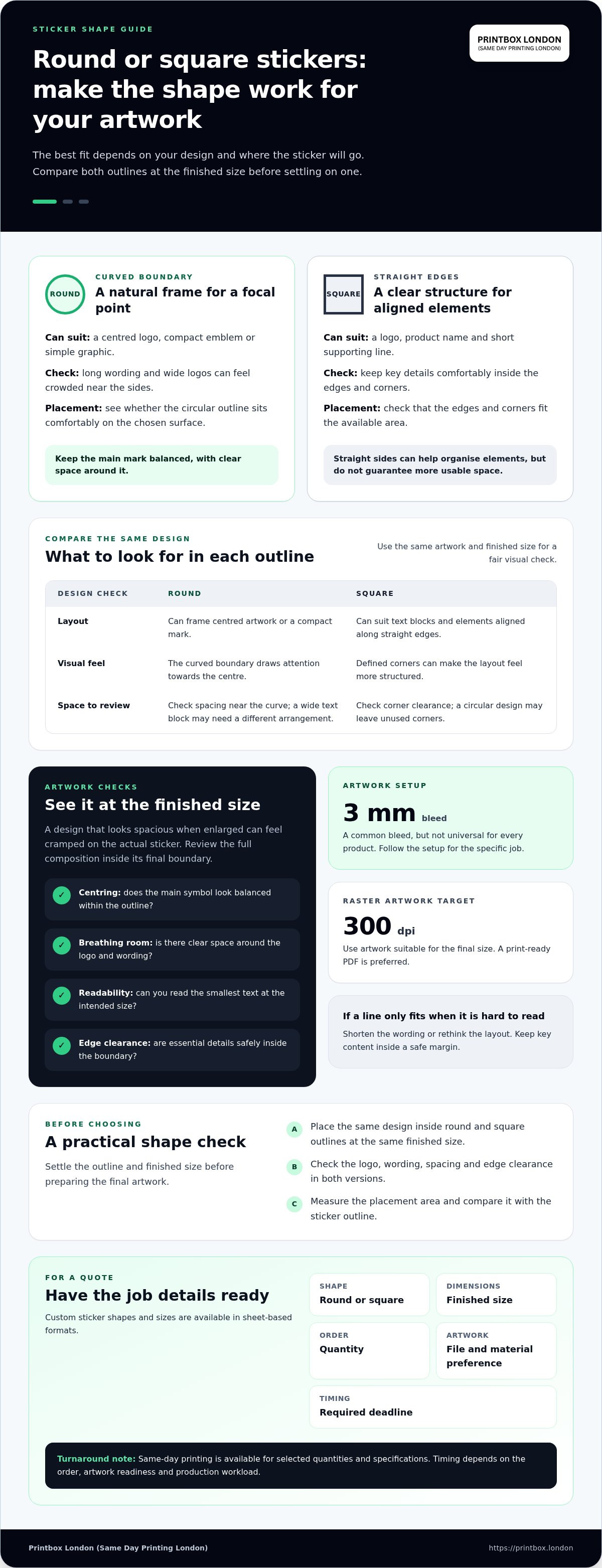
A quick comparison can prevent artwork being squeezed into an unsuitable outline. Work through these checks using the actual placement and finished size rather than a screen preview alone. Ask whether the design depends on a centred composition, straight alignment or both. If neither shape looks right at first, test each version before deciding.
- Check the placement. Measure the flat, usable area where the sticker will go. Note nearby folds, edges or other design elements that could affect the layout.
- Review the artwork. Identify the logo, wording and details that must stay clear. Consider whether the composition is centred, arranged in lines or built around both approaches.
- Compare the shapes. Put the same artwork inside a round and a square boundary. Check which outline gives the key elements room to breathe.
- Confirm the finished size. View both versions at the size you intend to use. Text that looks clear when enlarged may be harder to read when printed smaller.
- Prepare the file. Once the shape and size are settled, prepare the final artwork to suit the sticker job.
Test the design against the sticker boundary
Look closely at the edges. Does a curved outline crowd the wording, or does a square leave awkward gaps in its corners? Check that the logo and essential details remain distinct, with enough margin to avoid a cramped appearance. Compare both shapes at the intended size, ideally alongside the packaging or surface where they will be placed. Choose the version that reads clearly, not simply the one that looks larger on screen.
Keep the artwork’s visual hierarchy intact during the comparison. If the product name should be noticed first, make sure it does not get lost beside a prominent logo or squeezed towards an edge. If the design feels unbalanced in both shapes, rearranging it or simplifying secondary details may help more than changing the outline alone.
Prepare the order details before requesting printing
Have the key job information ready so the sticker requirement is clear. Include the shape, finished size, quantity, material preference and required deadline. These details describe the specification; the exact turnaround depends on the order and production workload, so a requested deadline is not a confirmed completion time.
Supply final, print-ready artwork. PDF is the preferred format, and JPG/JPEG, PNG, TIFF and ZIP files are also accepted. Check that the artwork matches the chosen dimensions and layout. For the square option, square sticker printing is a relevant product format to consider as you finalise the shape.
Ordering round or square stickers from Printbox London in London
Once you have chosen a shape, a clear order brief helps define the print job. Printbox London (Same Day Printing London) is based at 52 West Green Road, South Tottenham, and serves customers throughout Greater London. This includes Central London, North London, East London, South London and West London, as well as Haringey, Hackney, Islington, Camden, Enfield, Barnet, Westminster, Newham, Redbridge and Waltham Forest. The Tottenham shop is the physical location. For round or square stickers, include the finished dimensions and intended use alongside the artwork.
What to include in a sticker-printing request
Set out the practical details together. Specify whether you need round or square stickers, the finished size and quantity. Attach the final artwork, preferably as a correctly prepared PDF, and include any material preference relevant to the job. State your required deadline and whether you prefer collection or delivery.
- Shape and size: State round or square and give the finished dimensions.
- Quantity: Include the number of stickers required.
- Artwork: Send the final print-ready file, not a screenshot of the design.
- Material preference: Mention what you have in mind, if relevant.
- Timing and fulfilment: Give your required deadline and whether you plan to collect or have a delivery preference.
These details are especially useful if you are working to a particular packaging layout or promotion date. A defined size helps keep the artwork and intended placement in step. If the file has changed since you reviewed the shape, send the final version so the order details and artwork refer to the same design.
How London customers can take the next step
The physical shop is at 52 West Green Road, South Tottenham, London N15 5NR. Collection is available once the order is confirmed ready. Include your deadline, quantity, material preference, specification and artwork so the requirements can be considered together. Same-day printing is available for selected quantities and specifications, with turnaround depending on the full order.
For a straightforward handover, include the shape, size, quantity and artwork together, with your deadline and collection or delivery preference. This gives Printbox London (Same Day Printing London) the key information needed to understand the sticker job.
Turn your sticker choice into a consistent brand detail
Think beyond a single print run. The shape you choose for round vs square stickers can become part of how your product is recognised across packaging, promotional materials and future artwork. Once you have settled on a design, keep a clear record of its intended finished dimensions and placement. That gives you a reference when you update wording or create related designs, helping keep the overall look consistent.
Before printing, view the final artwork in context alongside the packaging, not in isolation. A shape that looks balanced on screen should still feel deliberate beside your other brand elements. Settle the layout, then share the requirements with Printbox London (Same Day Printing London) to move the sticker project forward.
With a considered shape and a clear brief, you are ready to prepare your design for print.
Frequently Asked Questions
Are round or square stickers better?
Neither shape is universally better; the right one depends on the artwork and where the sticker will sit. A compact emblem on a small jar, for example, may be easy to assess in a circular layout, while a label with a product name and short details might suit a square. Compare both versions at the intended size, then check how each looks beside the packaging and other printed information.
Which sticker shape is better for a logo?
Choose according to the logo’s proportions, not a general rule. A compact mark designed around a central symbol may fit a circle, while a wide wordmark could need a squarer layout to keep the lettering comfortably spaced. Try the logo without stretching or reshaping it, and view it at the planned sticker size. If the mark becomes hard to recognise, adjust the layout before approving the artwork.
Can I print custom-shaped stickers?
Yes. Printbox London (Same Day Printing London) produces custom sheet-based sticker shapes and sizes. In your enquiry, describe the shape, finished dimensions and quantity, then provide the artwork. A print-ready PDF is preferred. Make the intended finished boundary clear in the design, and allow for job-specific production requirements rather than assuming one file setup suits every sticker.
What size should round or square stickers be?
Choose a size that fits both the artwork and the available space. Measure the area on the actual item, then check whether the logo and wording remain clear at that scale. A label for a small container, for instance, may need less copy than one placed on a larger box. Include the finished dimensions in your enquiry.
Can round or square stickers be printed on the same day in London?
Same-day printing is available for selected quantities and specifications. Include your required deadline, sticker shape, finished size, quantity and final artwork in one enquiry, along with any material preference relevant to the job. Turnaround depends on the order, including its specification, artwork readiness and production workload. If the artwork is still being finalised, say so rather than sending an outdated file.
What file format should I use for sticker artwork?
PDF is the preferred format for sticker artwork. JPG/JPEG, PNG, TIFF and ZIP files are also accepted, but the file still needs to suit the intended finished size. Check the dimensions, image quality, colour and layout before sending it. A raster image target of 300 dpi at final size is appropriate; bleed requirements can vary by job, so do not assume the same setup applies to every sticker.
Article by
Printbox London Team
The Printbox London (Same Day Printing London) team provides practical printing guidance based on real customer requirements and day-to-day print production. We serve customers across Greater London from our Tottenham print shop, with same-day printing available for many products depending on quantity, specification, artwork and production capacity.