
Printing for artists in London with bespoke sizes and prices
Nov 23, 2026
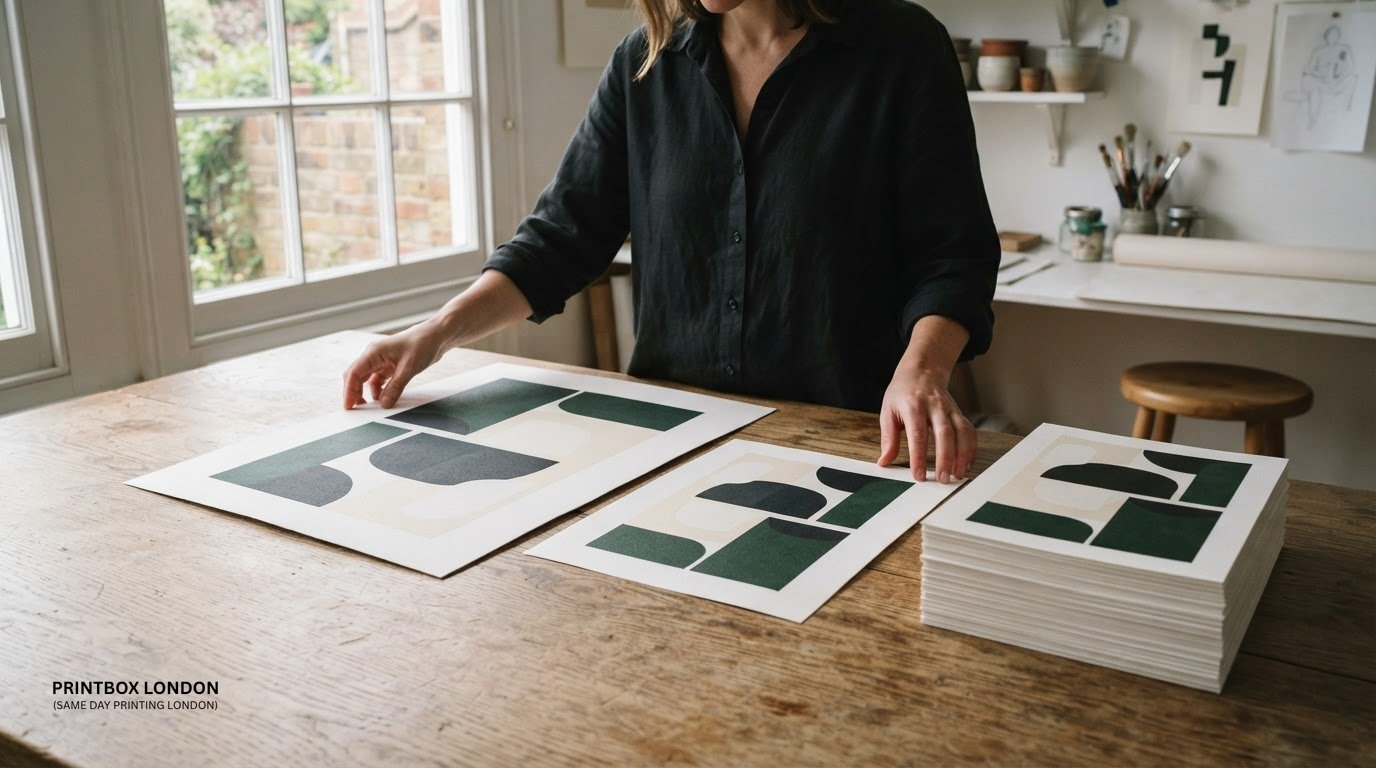
A bespoke art print quote is only useful when it reflects the finished size and quantity you need. For printing for artists in London, the price depends on the print dimensions, material, quantity and any finishing required, so a tailored quote is the clearest way to compare options.
Compare like with like: check that each quote covers the same size, quantity and specification, then compare how the total changes at different quantities. This guide explains what to include in a quote request for custom dimensions, which details help a printer price your job accurately, and how to assess quantity pricing. You’ll also learn what to consider when preparing artwork and choosing a professional print service for your work.
Key Takeaways
- Include your finished dimensions, quantity and print requirements when requesting a bespoke quote.
- Compare quotes using the same size and specification, then ask how changing the quantity affects the total.
- Choose paper and ink options according to the look and feel you want your artwork to have.
- Provide a suitable, print-ready artwork file and make sure its dimensions and layout match the intended finished print.
- For art posters or other print jobs, explore the relevant services from Printbox London (Same Day Printing London).
Print prices and quantity discounts
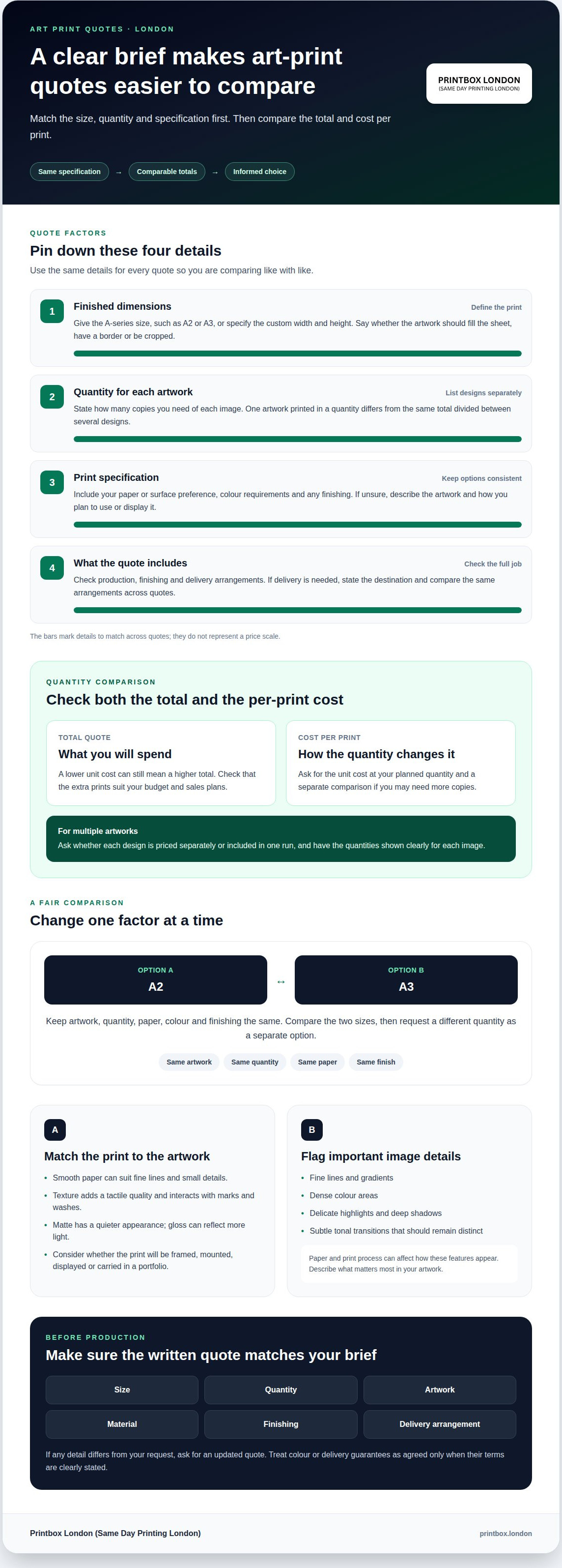
A bespoke art-print quote depends on the finished dimensions, quantity and production specification. An A3 print and an A2 print are different jobs, so their prices cannot be compared fairly if other details also change. Ask for a quote based on the exact print you need. That gives you a useful starting point for assessing the options.
Describe the finished size clearly. Name the A-series format if it applies, such as A2 or A3. For a custom format, give the width and height, and say which measurement is which. Also explain whether the artwork should fill the sheet, include a border or be cropped. These details help define the finished job before costs are compared.
State how many copies you need of each design. Printing one artwork differs from splitting the same total quantity across several images. For example, ten copies of one painting and ten prints divided between two designs require different artwork files. List each image separately with its quantity so the quote reflects the job accurately.
Quantity affects both the total quote and the cost per print. Ask for the total and unit cost at your planned quantity. If you may need more copies, request a separate comparison at a higher quantity. A lower unit cost can still mean a higher total spend, so check that the extra prints fit your budget and sales plans.
Include the print specification in your request. Paper, colour and finishing can all affect the quoted job. Name your preferred paper or surface, or describe how you’ll use the print. A portfolio piece, sale print and exhibition display may each call for different choices. Compare quotes only when they use the same specification.
- Finished dimensions, including width and height.
- Quantity for each individual artwork.
- Paper or surface preference, if you have one.
- Colour requirements and any finishing requested.
- Whether delivery is needed and the destination.
Check what the quoted total includes. Compare production, finishing and delivery arrangements separately. If one quote includes a detail that another omits, request the same specification before comparing totals. A headline figure alone won’t show whether the options are equivalent.
Pricing for larger quantities varies by job and pricing structure. Ask how the total and per-print cost change at different quantities. Don’t assume a quantity discount applies equally to every size, design or finish. If you’re ordering several artworks, ask whether each design is priced separately or included in one run.
A simple comparison can isolate one factor at a time. Request the same artwork in A2 and A3, using matching paper, colour and finishing. Compare the quote for the same quantity in each format. Then request another quantity as a separate option. This shows how size and quantity affect the quote without confusing the result with different materials or artwork.
Before approving production, make sure the written quote specifies the agreed size, quantity, artwork, material, finishing and delivery arrangement. If anything differs from your request, ask for an updated quote. Treat any colour or delivery guarantee as part of the agreement only when its terms are clearly stated.
A clear brief makes printing for artists in London easier to plan and compare. Keep the requirements consistent when requesting alternatives, and choose the option that fits the artwork, intended use and quantity you actually need. That way, your decision rests on the whole specification rather than a unit cost in isolation.
Customers receive 10% off orders of 10 or more prints. When requesting a quote, confirm how that discount affects both the total and the cost per print, and whether the quoted amounts include VAT. Use the prices as a guide only: compare them with the specification you need, including the print size, quantity and paper. If your order includes different sizes or designs, ask for the costs to be shown clearly so you can assess the offer against your actual requirements.
What paper and ink options do London art printers offer?
Paper and ink influence how an artwork looks and feels in print. The right combination depends on the image, its intended use and how it will be displayed. A delicate pencil drawing, for example, has different needs from a bold digital illustration. Describe the artwork and its purpose when discussing the specification.
Start with the surface. Smooth paper can suit fine lines, small details and clean edges. A textured surface adds a tactile quality and interacts differently with brush marks, washes and broad areas of colour. Texture is part of the presentation, not just a technical detail. Consider whether it complements the original or distracts from it.
The finish affects how light falls on a print. Matte surfaces have a quieter appearance, while gloss can create more reflection. This may matter in a bright exhibition space or behind glass. Consider where the print will be viewed and whether it will be under spotlights, daylight or changing indoor light.
Paper thickness and handling also matter. A print to be mounted or framed has different practical needs from one carried in a portfolio or sold unframed. Ask how the paper suits your intended handling and presentation. The display method can help guide the specification, without assuming one surface works for every artwork.
Ink or toner affects how the image is transferred onto the chosen material. Different processes can render fine lines, gradients and dense areas differently. Tell the printer which features matter most. For a monochrome drawing, that might be subtle shading; for a colourful illustration, clear separation between adjacent colours. This keeps the discussion focused on the artwork’s visual priorities.
Pay close attention to tonal range. A print with delicate highlights and deep shadows needs to retain those distinctions. Dense dark areas can appear different from pale washes depending on the paper surface and print process. If your artwork relies on subtle transitions, point them out when agreeing the specification so they receive particular attention.
Ink coverage is another consideration. Large blocks of colour can behave differently from fine marks or open areas of paper. The surface affects how printed areas appear, while the process influences edges and tonal transitions. Share a representative section of the artwork, especially if it contains gradients, thin lines or closely related colours.
- Describe the artwork’s medium, detail and dominant visual features.
- Explain whether the print will be framed, mounted, displayed or handled.
- Identify important highlights, shadows, gradients and fine marks.
- Consider viewing conditions, including glare and display lighting.
- Ask how the proposed surface and print process suit those requirements.
For a series, keep the specification consistent across related images. Different surfaces can change how the same artwork looks, making prints feel less cohesive when displayed together. If each image has a distinct character, describe the differences and discuss whether they call for separate specifications. Aim for a deliberate, consistent presentation across the set.
There isn’t one paper or ink choice that suits every artwork. A useful specification connects the visual style to the print’s purpose and display conditions. Describe what viewers should notice first, then discuss the material and print process in those terms. To talk through a particular project, share your artwork and printing requirements.
The service offers Hahnemühle Photo Rag paper at 308gsm and Hahnemühle German Etching paper at 310gsm. These named options give you a clear starting point when discussing the paper specification. Consider the artwork’s visual priorities and intended presentation, then ask the printer how each option may suit those needs. Avoid choosing by paper name alone: the final appearance also depends on the image, the print process and the way the work will be displayed.
If you’re unsure which option to choose, explain which details must remain clear, such as fine marks, tonal transitions or broad areas of colour. Describe whether the print will be framed, mounted or carried in a portfolio. This focuses the discussion on the artwork rather than a general preference for one paper. Agree on the paper and print process together so the specification suits both the image and its intended use.
How London art printers prepare artwork files for print
Preparing artwork starts with the order specification and the files you supply. The printer matches each file to the finished size, orientation and quantity, then checks whether it can produce the requested result. Clear file names and a brief identifying each design make this easier, especially when a run includes several images or revisions.
High-resolution JPEG, PSD, EPS, TIFF and PDF files are commonly used for artwork printing. Each format handles image information differently. A JPEG is a flattened image, while a PSD may retain editable layers. EPS and TIFF files can also preserve artwork in ways suited to particular workflows. A correctly prepared PDF can bring the final page layout and artwork together for review.
The printer identifies the actual artwork area in the file. A page might contain a border, blank margin or marks that should not appear in the finished print. Your brief helps distinguish intentional space from unwanted content. If an image is deliberately off-centre, say so; otherwise, it could be treated as a layout issue.
Check that the orientation matches the requested finished dimensions. A landscape image supplied for a portrait format may need repositioning, cropping or a border. These choices affect the composition, so they should be agreed rather than guessed. The printer can flag differences between the image proportions and print shape, then prepare the output according to your instructions.
File preflight also looks for technical problems that can alter the result. Missing image links, unexpected transparency, hidden layers and unsupported effects can change how a file renders. The printer reviews the artwork as a complete image, not just the preview visible in a design programme. If an element disappears or shifts, the file may need a corrected export before production.
For vector artwork, check fine strokes and small lettering. Lines that look clear on screen may be hard to see at the chosen print size. The printer assesses the artwork at its intended output scale and checks that important details remain legible. For raster images, resolution matters at the final dimensions, as enlarging a small source image can soften edges.
Check crop marks, bleed and safe margins when the format requires trimming. Crop marks indicate the cut position, bleed extends image content beyond the edge, and a safe margin keeps important details away from the cut. The printer compares these elements with the product layout. Requirements vary by job, so don’t use one template for every print size.
Colour files also need a production check. The printer reviews the artwork’s colour mode and how it may translate from screen to print. A proof can help assess the layout and key visual details before a full run. If a particular shade or tonal transition matters, identify it in the brief so it receives attention during review.
Before preparing several artworks together, check that each file matches its intended design and size. This helps prevent an approved image being paired with the wrong dimensions or an outdated revision. A simple file list can identify each design, format and version. Avoid submitting files with indistinguishable names.
- Match each file to its design, orientation and finished dimensions.
- Review the complete page, including borders and unused space.
- Check that image details and fine lettering suit the intended scale.
- Inspect transparency, linked images and visible layout elements.
- Confirm which revision is approved for printing.
For a poster, the printer also checks that the supplied layout suits the requested format, including a custom size where appropriate. If you have a specific artwork file or deadline, you can send the print requirements for discussion alongside the design. A clear brief lets the printer review the right file against the right finished result.
Printbox London (Same Day Printing London)
Printbox London (Same Day Printing London) helps artists turn prepared artwork into printed materials, with Same Day Printing and Same Day Poster Printing among its services. Share the finished dimensions, quantity, artwork file and intended use when discussing your project. For a bespoke poster size, provide the exact width and height so the print requirements are clear.
Same-day printing is available for selected quantities and specifications. Timing depends on artwork readiness, material, finishing and workload, so include your deadline when you get in touch. If you’re comparing options, specify your preferred paper or finish and request a quote for the same quantity and specification.
For help with your artwork printing requirements, contact Printbox London (Same Day Printing London).
Turn your artwork into its next opportunity
A print can become a portfolio piece, a saleable edition or a way to introduce your work to a new audience. Before starting a run, decide what role each print should play. That purpose can guide your format, presentation and choice of quantity.
A considered approach to printing for artists in London starts with the result you want, not simply the file you have ready. If you’re promoting an exhibition or sale, Same Day Flyer Printing can help create material to share alongside your artwork. Keep your intended use in mind as you move from quote to finished print.
When you’re ready to discuss your project, provide the artwork and a clear outline of what you want printed.
Your next print run can be a practical step towards sharing your work. Start with the project that matters most to you.
Article by
Printbox London Team
The Printbox London (Same Day Printing London) team provides practical printing guidance based on real customer requirements and day-to-day print production. We serve customers across Greater London from our Tottenham print shop, with same-day printing available for many products depending on quantity, specification, artwork and production capacity.