
Print Flyers in London: Sizes, Artwork and Same-Day Ordering
Oct 17, 2026
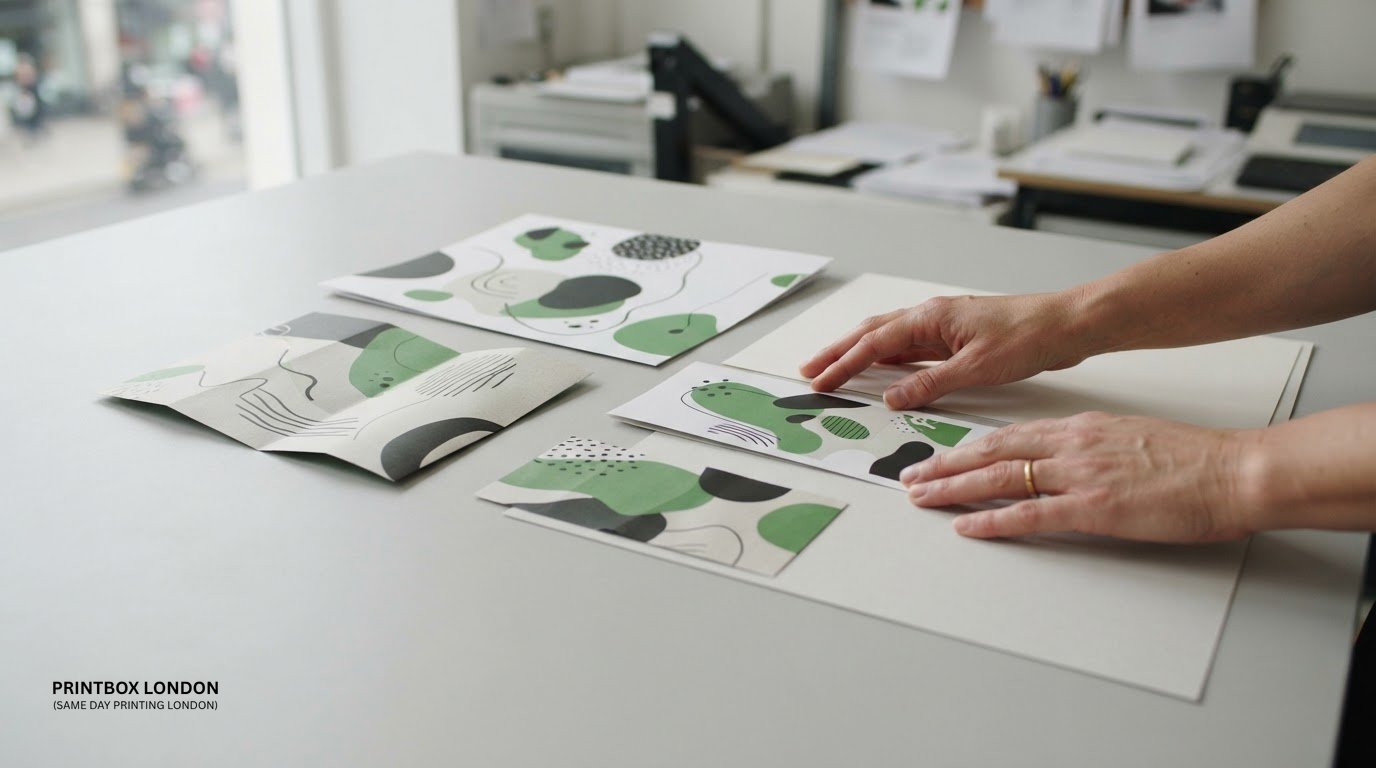
A clear brief matters as much as a good design when you need to print flyers. Choosing a size is only the start: quantity, artwork and timing all affect how an order moves into production.
If you’re deciding between A-series, DL, square or custom dimensions, start by considering what the flyer needs to communicate and how people will use it. This guide explains how to choose a format, prepare artwork for print and give Printbox London (Same Day Printing London) the details needed to process your order.
Same-day printing is available for selected quantities and specifications. Turnaround depends on the order, including its artwork readiness and production requirements. Collection from the Tottenham shop is available once your order is confirmed ready. Preparing the brief and final artwork in advance helps get a time-sensitive job moving.
Key Takeaways
- Start your flyer order with its purpose, finished size, quantity and deadline.
- Compare A-series, DL, square and suitable custom formats to find a layout that fits your message.
- Prepare artwork at the chosen finished size; PDF is the preferred file format.
- When you order print flyers, include the printing sides, material, finish and collection or delivery preference.
- Same-day printing is available for selected quantities and specifications, depending on the order and production capacity.
Print flyers: what to decide before placing an order
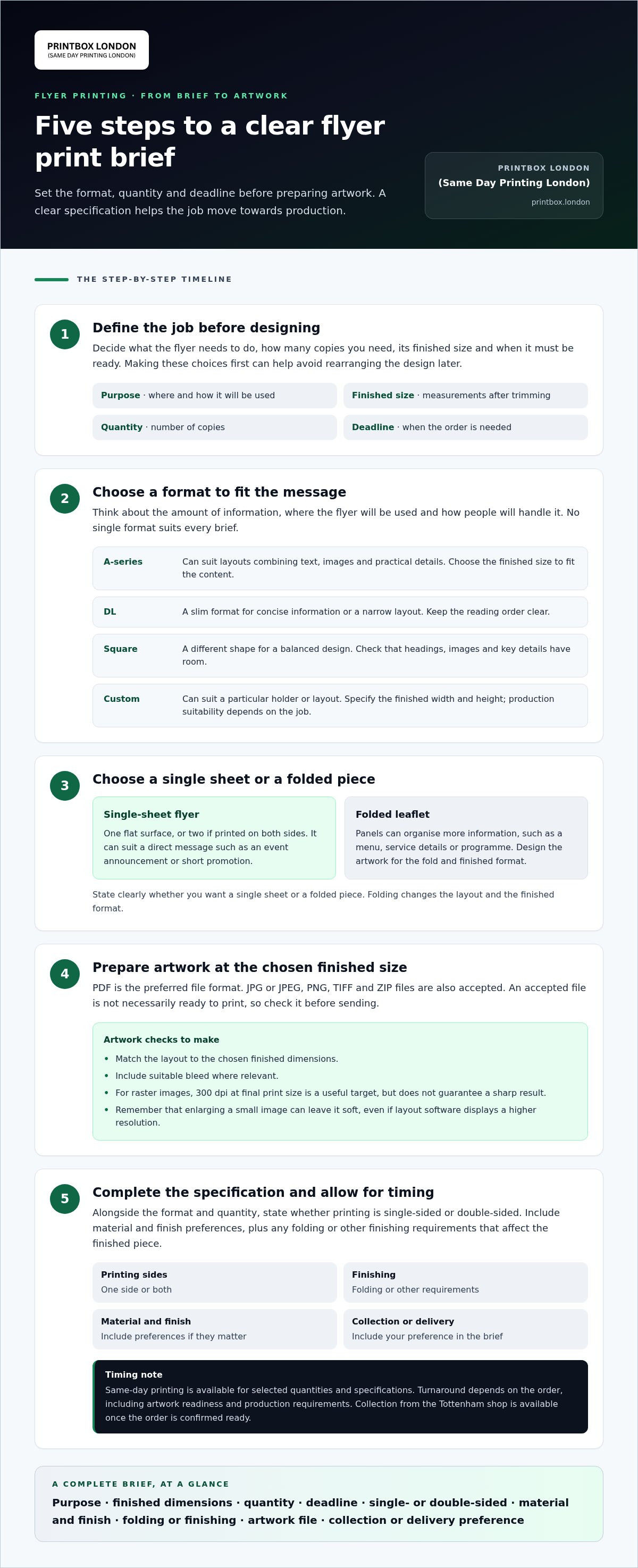
A useful flyer order begins with four decisions: purpose, finished size, quantity and deadline. Be clear about what the flyer should do, how much information it needs to carry, how many copies you need and when they must be ready. Deciding these points before designing helps avoid having to rearrange the artwork later.
Consider the flyer’s role. An event handout needs a prominent date and venue. A menu insert should fit the menu it accompanies, while a business promotion may need room for an offer and contact details. Printbox London (Same Day Printing London) provides flyer and leaflet printing in A-series, DL, square and suitable custom dimensions for customers across London, including Central, North, East, South and West London.
When does a flyer work better than a folded leaflet?
A single-sheet flyer gives you one flat surface, or two if it is printed on both sides. It can suit a direct message, such as an event announcement or short promotion. A folded leaflet provides panels for organising more information, such as a menu, service details or programme. Choose based on the amount of content and how readers will use the piece.
The word “flyer” can refer to different printed formats and purposes. Wikipedia’s overview of the flyer (pamphlet) provides further background. For your order, specify whether you want a single sheet or a folded piece. A fold changes both the layout and the finished format, so the artwork should be designed for the chosen format.
What details define a flyer order?
Set the finished dimensions before laying out the design. Finished size means the measurements of the piece after trimming, not the size of the sheet before it is cut. Then decide the quantity and whether the flyer should be single-sided or double-sided. Include any folding or other finishing requirements, as these can affect how the artwork is arranged and the job is specified.
- Purpose: explain where and how the flyer will be used.
- Format and finished size: provide the shape and dimensions you want.
- Quantity: state how many copies you need.
- Printing sides: specify whether artwork is needed on one side or both.
- Folding or finishing: describe any requirement that changes the finished piece.
Include material and finish preferences if they matter for handling or presentation. A complete specification makes it easier to align the format and artwork with the intended use, and gives the order a clear starting point.
Choose a flyer size and format that fit your message
Choose the finished format before laying out the artwork. The right dimensions depend on how much information the flyer needs to carry, where it will be handed out or displayed, and how people are likely to handle it. A compact design can be easy to carry, while a larger format provides more room for copy and images. Neither is automatically the better choice.
A-series formats provide familiar proportions for straightforward layouts. DL is a slim format that can suit concise information or a design intended for a narrow space. Square flyers offer a different shape, but the content still needs enough room to remain legible. Suitable custom dimensions can work when the brief requires a particular shape or fit.
| Format | May suit | Practical design consideration |
|---|---|---|
| A-series | Layouts with a mix of text, images and practical details | Choose the finished size to suit the amount of content rather than designing first and scaling later. |
| DL | Concise messages or information arranged in a narrow layout | Keep the reading order clear and avoid squeezing in copy that needs more space. |
| Square | A design that benefits from a balanced, non-rectangular shape | Check that headings, images and key details fit the proportions. |
| Custom | A brief that needs dimensions beyond a standard format | Specify the finished dimensions and allow for production suitability. |
How should you choose between A-series, DL and square flyers?
Start with what the reader needs to do. For a quick announcement, a simple layout with a clear headline and essential details may be enough. If readers need to keep or refer to more information, choose dimensions that give the content comfortable space. Also consider whether the flyer will be handed out, inserted into something else or displayed. Those uses can guide the shape and scale, but no format suits every campaign.
When might a custom flyer dimension make sense?
Custom dimensions can suit a flyer that needs to fit a particular holder or work with a specific layout. First decide the finished width and height, then build the design to those measurements. Production suitability depends on the requested job. For available formats, browse the flyer and leaflet printing options.
To print flyers in a particular format, include the finished dimensions in your brief. If you’re weighing up the options, discuss your flyer format and requirements before finalising the artwork.
Prepare flyer artwork without avoidable print delays
Print-ready artwork helps keep a flyer order moving. PDF is the preferred file format; JPG or JPEG, PNG, TIFF and ZIP files are also accepted. A file being accepted does not necessarily mean it is ready to print, so review the artwork before sending it, particularly when you have a tight deadline.
A print-ready PDF should match the finished size and include suitable bleed where relevant. For raster images, 300 dpi at the final print size is a useful target, but it does not guarantee a sharp result. The original image, resizing and content all matter. Enlarging a small image can leave it soft even if the layout software displays a higher resolution.
Which file and image checks matter before sending flyers?
Review the artwork at its intended print size. Check that the dimensions are correct, text is readable, key information is present and images look clear rather than pixelated. Make sure fonts are embedded or otherwise handled appropriately so text does not change unexpectedly when the file is opened for printing.
- Image quality: use original, high-resolution images where possible. Avoid screenshots as finished artwork, as they may not contain enough detail for print.
- Colour: CMYK is the preferred colour mode for print. RGB artwork can reproduce differently, so colours on screen may not match the printed result exactly.
- Layout: keep text and key information clear of the edge, and check that the file matches the requested finished dimensions.
Look closely at small text, logos and enlarged images. A screen check can catch missing details and layout problems, but it cannot restore detail that is absent from the original image.
What are bleed, trim and safe area?
Bleed is artwork that extends beyond the edge where the flyer will be trimmed. It helps prevent a thin unprinted border if the cut shifts slightly. A bleed allowance of 3 mm is common, but requirements vary by product, so do not treat that figure as universal.
Trim is the final cut edge and defines the finished dimensions. The safe area is the space inside that edge where important text and details should sit, away from the cut line. Keeping essential content within this area reduces the risk of it being trimmed too close. The right setup depends on the specific job and file requirements.
Before you print flyers, check the artwork against the requested size and any product-specific setup instructions. Send the final version, not a screenshot or earlier draft. If you are including alternatives, identify which file is approved for printing.
Order printed flyers in London with the deadline in mind
Send the flyer specification, deadline and final artwork together. Same-day flyer printing is available for selected quantities and specifications. Turnaround depends on the job, including artwork readiness, stock, workload and production requirements. Give the required ready-by date and time rather than simply saying the order is urgent. This helps Printbox London (Same Day Printing London) assess the request against the deadline.
Use this checklist to prepare your order:
- Product and finished size: say whether you need a single-sheet flyer or folded leaflet, then give the finished dimensions.
- Quantity: specify the number of copies required.
- Printing sides: state whether the artwork is single-sided or double-sided.
- Material and finish: include the material you want and any finishing or folding requirements.
- Deadline and fulfilment: give the required ready-by date and time, plus your collection or delivery preference.
- Artwork: attach the final print-ready file and identify it clearly if you are sending more than one version.
Be precise about timing. If the flyers are for an event, state when you need them in hand before it begins. Quantity and the full specification matter too: a larger order or added finishing can affect production requirements. Mention an urgent deadline in your initial brief, not after the artwork has been reviewed.
What information should you send for a flyer quote?
Put the product type, finished size and quantity together so the request is easy to assess. Add whether it is printed on one or both sides, along with material and finishing requirements. Include your deadline, collection or delivery preference, and final artwork file. For event promotion, plan the date, venue and key information that the handout needs to communicate.
How does London collection work?
Collection is from Printbox London (Same Day Printing London) at 52 West Green Road, South Tottenham, London N15 5NR, once your order is confirmed ready. Wait for confirmation before travelling, rather than setting off based on an estimated deadline. Same-day local courier delivery across London may also be available, depending on postcode, job size, completion time and courier availability.
Send the complete brief in one go, especially for an urgent order. That makes it easier to match the requested size, quantity, artwork and fulfilment preference to the job. For event flyers, include the event date as well as the printing deadline so the timing is clear.
Get your flyer order moving with Printbox London (Same Day Printing London)
For a London flyer order, send the key details and final artwork together. A complete brief gives Printbox London (Same Day Printing London) a clear view of the format, production requirements and deadline. It also helps prevent avoidable delays caused by missing specifications or artwork that needs changes before printing.
Choose the format first. Flyer and leaflet printing is available in A-series, DL, square and suitable custom dimensions. Give the finished size in your brief rather than relying on descriptions such as “small” or “standard”. If you are unsure which format fits your content, explain what the flyer is for and how it will be distributed or used.
What to expect when you contact the print shop
A clear specification shows what the job involves, from the chosen dimensions to any material or finishing requirements. Same-day printing is available for selected quantities and specifications. Turnaround depends on the order, artwork readiness, stock, workload and production requirements. Include a specific deadline so the request can be considered in context, but do not assume a particular ready time or delivery time until it is confirmed.
For urgent work, state the required deadline and any event or distribution date that affects it. This gives useful context without presuming the production schedule. If you are sending multiple artwork files, label the final version clearly so there is no confusion about which design to print.
Send the details needed to discuss your flyer job
Put the order information in one message to make the job easy to understand. Include the product type, finished size, quantity, whether it is single-sided or double-sided, and your material and finishing requirements. Attach the final print-ready artwork, state the deadline and say whether you prefer collection or delivery.
- Specification: product, finished dimensions and quantity.
- Print choices: printing sides, material and any requested finishing.
- Files and timing: final artwork, required deadline and collection or delivery preference.
Printbox London (Same Day Printing London) serves flyer customers across Greater London from its Tottenham shop, including customers in Haringey, Hackney, Islington, Camden, Enfield, Barnet, Westminster, Newham, Redbridge and Waltham Forest. Collection is available once the order is confirmed ready. Same-day local courier delivery may also be available, subject to the job and courier arrangements. If collecting, wait for confirmation before travelling to the shop.
Send the details together to get your flyer order moving. A precise brief makes it easier to discuss a suitable format and production plan.
Turn your flyer plan into a clear next step
Before you print flyers, decide what you want the reader to do after seeing one. Make that action easy to spot, whether it is visiting a website, attending an event or getting in touch. A focused message gives the design a clear purpose and helps you judge whether the finished piece is ready to distribute.
Plan where the flyers will be handed out or displayed, who needs them and when they will be used. This gives the order a practical purpose from the first design decision through to distribution. If the campaign changes, update the final artwork and brief together so the version being printed reflects the current plan.
For flyer printing in London, send your job details and artwork to Printbox London (Same Day Printing London).
A well-prepared flyer is one less detail to manage. Start with a clear purpose, a suitable format and final artwork.
Frequently Asked Questions
Can flyers be printed in DL, square or custom sizes?
Yes. DL, square and suitable custom formats are available, depending on the job’s production requirements. For a custom size, give the exact finished width and height in your enquiry. Avoid describing a size only as “compact” or “large”, as those terms can mean different things. Clear measurements distinguish the finished piece from the larger artwork file used to prepare it.
Is same-day flyer printing available in London?
Yes, same-day printing is available for selected flyer quantities and specifications. Give the required ready-by deadline with the full order details rather than assuming a particular time can be met. The suitability and turnaround depend on the job’s requirements, so a specific ready time should not be assumed before it is confirmed.
What file format should I send for flyer printing?
PDF is the preferred format. JPG or JPEG, PNG, TIFF and ZIP files are also accepted. Send the final version you want printed, not a proof or working draft. Use a clear filename if you have several versions, and identify the approved file in your message. The file extension alone does not show whether artwork is print-ready.
Can I collect flyers from a Printbox London shop in my borough?
Printbox London (Same Day Printing London) has one physical shop, in Tottenham, rather than separate shops in each borough. Customers from across Greater London can collect there once their order is ready. Same-day local courier delivery may be available depending on the order, postcode, completion time and courier availability.
How much does it cost to print flyers?
The price depends on the individual flyer job, so there is no single figure that applies to every order. For a quote, provide the specification and quantity you are considering. If you are still choosing between formats, include that in your enquiry so the options can be discussed before the order is finalised.
Are flyers and leaflets the same thing?
The terms are often used for promotional print, but they do not always specify the finished format. A flyer often means a single sheet, while “leaflet” can also describe a folded piece. Explain whether you want a flat or folded item and how the reader will use it. This makes the requested format clear from the outset.
Is Printbox London (Same Day Printing London) open on Sundays?
No, the Tottenham shop is closed on Sundays. Opening hours are Monday to Saturday, 8:00 am to 8:00 pm. If you are arranging collection, plan for an open day and wait for confirmation that the order is ready.
Article by
Printbox London Team
The Printbox London (Same Day Printing London) team provides practical printing guidance based on real customer requirements and day-to-day print production. We serve customers across Greater London from our Tottenham print shop, with same-day printing available for many products depending on quantity, specification, artwork and production capacity.