
How to Choose and Prepare a Photo for Professional Printing
Jun 24, 2026
How to Choose and Prepare a Photo for Professional Printing
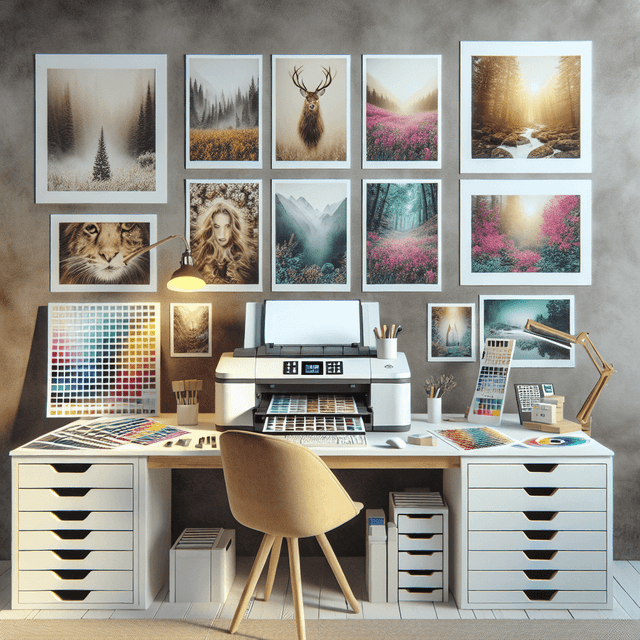
In today's digital world, where sharing pictures online has become second nature, many people overlook the timeless beauty of printed photographs. While digital galleries and social media platforms make it easy to store and share images, nothing compares to holding a professionally printed photo in your hands.
Whether you're creating personalised gifts, decorating your home, building a photo album, or displaying treasured memories, understanding how to prepare your images correctly is essential. At Printbox London (Same Day Printing London), we help customers transform digital images into beautiful, high-quality prints with fast turnaround times and professional results.
Overview
Preparing your photos correctly before printing is the key to achieving sharp details, vibrant colours, and professional-quality results. From choosing the correct resolution and file format to selecting the right paper and print finish, every step contributes to the final appearance of your photographs.
At Printbox London (Same Day Printing London), we provide expert photo printing services together with professional advice to help you achieve outstanding results every time.
Benefits of Professional Photo Printing
- Exceptional image quality
- Accurate colour reproduction
- Long-lasting premium prints
- Professional paper and finishing options
- Suitable for gifts and home décor
- Ideal for photographers and artists
- Fast same day printing available
- Wide range of print sizes
Why Choose Printbox London (Same Day Printing London)
Customers across London choose Printbox London (Same Day Printing London) because we combine professional printing technology, premium materials, expert advice, and fast turnaround times.
- Professional photo printing equipment
- Premium photo papers
- Fast same day printing options
- Competitive pricing
- Experienced printing specialists
- Personal and commercial printing solutions
- Convenient Tottenham location
Why Printed Photos Still Matter
Printed photographs provide a lasting connection to life's most memorable moments. Unlike digital files stored on devices or cloud storage, printed photographs can be displayed in homes, offices, albums, and galleries where they can be enjoyed every day.
Many customers use professional photo printing to preserve weddings, family portraits, travel memories, graduation photographs, and special celebrations for future generations.
Understanding Photo Resolution and Print Size
Image resolution plays a crucial role in print quality. Resolution refers to the amount of detail contained within an image and is measured in pixels.
For professional-quality printing, a resolution of approximately 300 DPI (dots per inch) is generally recommended.
Typical minimum image sizes include:
- 4 × 6 inch print — approximately 1200 × 1800 pixels
- 5 × 7 inch print — approximately 1500 × 2100 pixels
- 8 × 10 inch print — approximately 2400 × 3000 pixels
- A4 print — approximately 2480 × 3508 pixels
Higher-resolution images produce sharper prints with greater detail, while low-resolution images may appear blurred or pixelated when enlarged.
Choosing the Right File Format
JPEG (JPG)
JPEG remains the most popular format for photo printing because it provides an excellent balance between image quality and file size.
TIFF
TIFF files preserve maximum image quality and are ideal for professional photographers, artwork reproduction, and exhibition prints.
PNG
PNG files are suitable for graphics and illustrations while maintaining excellent image quality.
For most customers, a high-quality JPEG file is more than sufficient for professional photo printing.
Managing Colours for Better Prints
Computer monitors display colours using the RGB colour model, while commercial printers generally use CMYK. Because of this difference, colours may appear slightly different when printed.
To improve colour accuracy:
- Use a calibrated monitor where possible.
- Adjust brightness and contrast carefully.
- Avoid oversaturated colours.
- Use CMYK when required for commercial printing.
- Review a proof before final production if available.
Learn more about professional printing colour management from the CMYK Colour Model and Adobe's printing colour management guide.
Selecting the Best Print Material
Gloss Photo Paper
Gloss paper produces vibrant colours, deep contrast, and sharp detail, making it ideal for portraits, landscapes, and colourful photography.
Matt Photo Paper
Matt paper provides a softer appearance with reduced reflections, making it an excellent choice for fine art and black-and-white photography.
Canvas Printing
Canvas printing transforms photographs into elegant wall art with additional texture and depth.
Poster Printing
Large photographic enlargements can be produced using our poster printing service, ideal for homes, offices, exhibitions, and displays.
Preparing Your Images for Printing
Before sending your photographs for printing, follow these simple steps:
- Check the image resolution.
- Adjust brightness, contrast, and colour balance.
- Crop images to the required print size.
- Remove unwanted objects if necessary.
- Save the final version at maximum quality.
- Review the image before submitting it for print.
Proper preparation helps ensure your finished print accurately represents your original image.
Professional Photo Printing Options
Home Printing
Home printers are suitable for occasional printing but often have limitations regarding colour accuracy, durability, and maximum print size.
Professional Printing Services
Professional printing companies provide superior colour reproduction, premium materials, specialist finishes, and expert advice.
Same Day Printing
If you need urgent photo prints, our same day printing services provide fast turnaround without compromising quality.
Step-by-Step Ordering Process
- Select your preferred photo printing product.
- Upload your high-resolution images.
- Choose your print size and paper finish.
- Approve your artwork and order details.
- We professionally print your photographs.
- Quality checks are completed.
- Collect your prints or arrange delivery.
Frequently Asked Questions
What resolution is best for photo printing?
A resolution of approximately 300 DPI is recommended for producing sharp, professional-quality prints.
Can smartphone photos be printed professionally?
Yes. Most modern smartphones capture images with enough resolution for excellent-quality photo printing.
Should I choose glossy or matt paper?
Gloss paper provides vibrant colours and sharp detail, while matt paper offers a softer finish with reduced glare. The best choice depends on your personal preference and intended display.
Do you offer same day photo printing?
Yes. Printbox London (Same Day Printing London) offers same day printing for many photo printing products, subject to artwork approval and production schedules.
Can you print large-format photographs?
Yes. We provide poster printing, canvas printing, and other large-format photo printing solutions.
Get Started Today
If you're looking for professional photo printing in London, Printbox London (Same Day Printing London) is ready to help. Whether you're preserving family memories, creating personalised gifts, printing artwork, or producing exhibition-quality photographs, we provide outstanding quality with fast turnaround times.
Prepare your images with confidence and bring your memories to life with Printbox London (Same Day Printing London).
Contact Information
Business Name: Printbox London (Same Day Printing London)
Address: 52 West Green Road, London N15 5NR
Phone: 0207 018 5678
Email: hello@printbox.london
Website: https://printbox.london/
Contact Us: https://printbox.london/contact-us/
Find Us on Google Maps: Find Us on Google Maps