
Black and White PDF Printing in London: Prices and Options
Nov 20, 2026
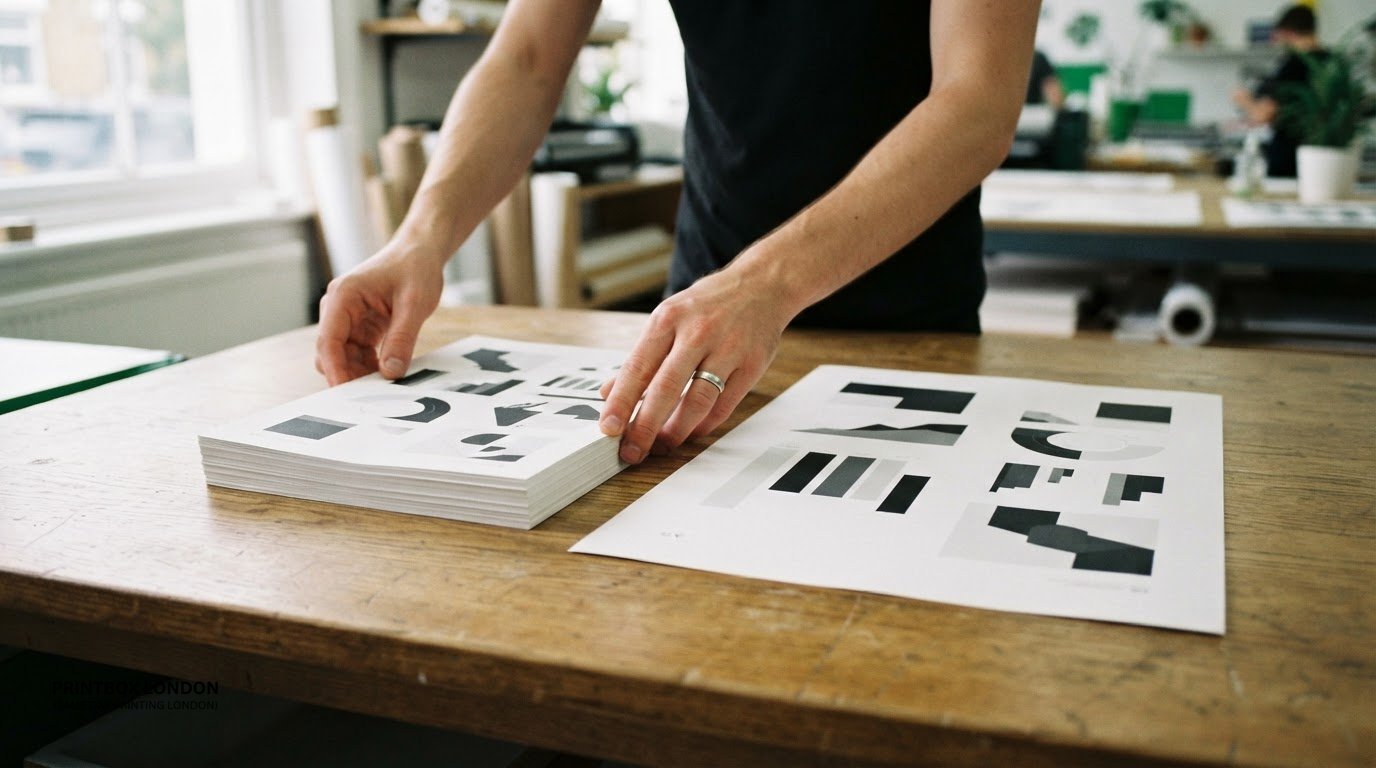
Black-and-white printing can suit a text-heavy PDF, while colour can make charts, images and event materials easier to follow. For black and white PDF printing in London, the right choice depends on what the pages need to communicate, as well as the document’s size and number of copies.
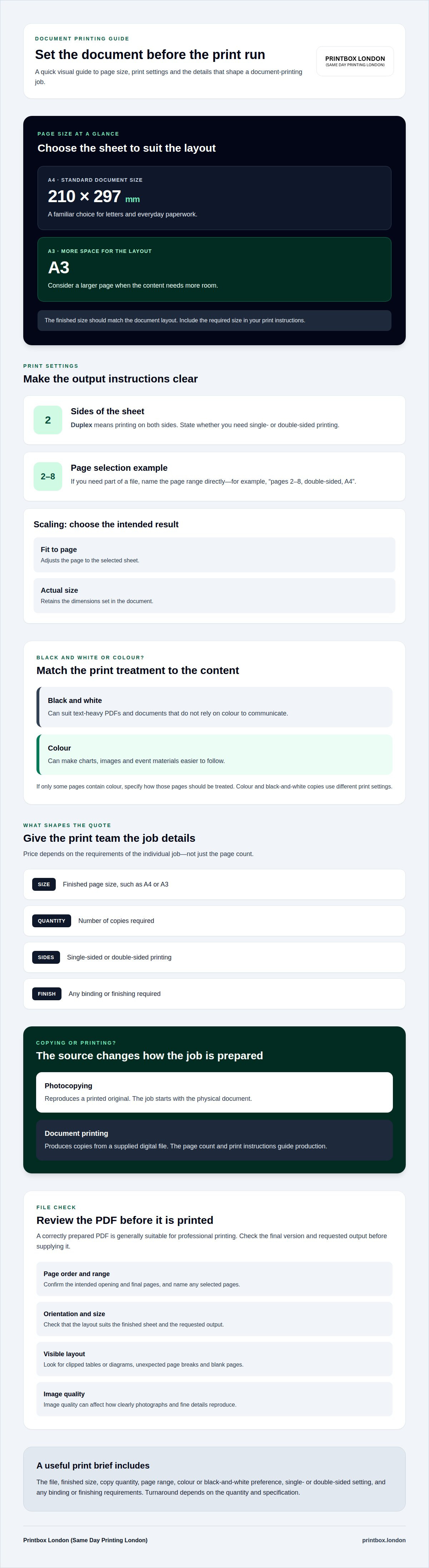
A4 measures 210 × 297 mm, and A3 gives you a larger page for content that needs more space. This guide covers PDF file suitability, A4 and A3 printing prices, copying, and choosing black-and-white or colour printing for work, study and events. Pricing depends on the job’s requirements, including size and quantity.
This guide covers practical points to consider when preparing a document for black and white PDF printing in London, including whether any pages contain colour content and how the document will be used. These details help you choose the right print options and provide the information needed for a quote.
Key Takeaways
- Choose A4 for standard documents or consider A3 when the layout needs more room.
- Learn which file details can affect whether a PDF is ready for professional printing.
- Understand how size, quantity and finishing shape the price of a document-printing job.
- Decide when black-and-white printing is suitable and when colour could make information clearer.
- See what to include when arranging document printing or copying for work, study or an event.
Document printing for businesses, education and events
Businesses use printed documents for reports, invoices and meeting packs. Students may need study notes or dissertation copies, while event organisers prepare programmes, schedules and handouts. For black-and-white PDF printing in London, the right specification depends on how readers will use each document. A standard UK A4 sheet measures 210 × 297 mm, making it a familiar choice for letters and everyday paperwork.
Quantity, page size, colour and finishing all affect the job. A short report and a larger batch of training handouts have different production requirements. For an accurate quote, specify the number of copies, pages per document, single- or double-sided printing, and any finishing. This gives the print team a clear basis for pricing, rather than relying on a generic per-page estimate.
To enquire about document printing for customers across Central London, provide the file, finished size and copy quantity, then specify print requirements and any finishing preferences. Include whether the document should be printed single- or double-sided and whether you have a preferred binding. These details help the team understand the job and assess its turnaround.
Digital printing is suited to document jobs produced from a supplied file. Check the page size, layout and requested finish before placing an order. A meeting pack, for example, may work best as loose sheets, while a course handbook may be easier to use as a booklet. Turnaround depends on the quantity and specification.
- Loose sheets: useful for handouts, forms and documents that need to be rearranged.
- Booklets: can keep a short programme or presentation in page order.
- Bound documents: can help keep longer reports and reference documents together.
Binding affects how a document opens, handles and stores. Consider the page count and intended use when choosing a finish. Printbox London (Same Day Printing London) can advise on available options for your document.
For an event, printed schedules and programmes help attendees follow the day’s activities. Organisers can decide whether each item should be a loose handout or an assembled booklet, then provide the file and quantity. Being clear about each document’s purpose helps determine its format and finish.
PDF and other file formats
A correctly prepared PDF is generally suitable for professional printing. Confirm the available file formats when placing your order rather than assuming a particular format is accepted. A4 and A3 are common document sizes, but the finished size should match the layout. Paper choice depends on the job; include the required paper or finish in the print instructions rather than assuming every document uses the same stock.
Paper affects how a document feels and performs. A handout, report and bound booklet have different uses, so there isn’t one paper choice for every job. Specify the intended use, finished size and desired thickness or finish. These details help clarify what you need alongside the artwork.
Use the file-supply method confirmed for your order. Choose the final version and give it a clear filename, such as “meeting-pack-final.pdf”. If an order includes several documents, name each file by its purpose. This helps distinguish a presentation from its accompanying notes or handout.
Include the output instructions with the file. Specify the finished size, copy quantity, whether printing should be single- or double-sided, and the page range. For example, “pages 2-8, double-sided, A4” makes the requested selection clear. If you need only part of a document, identify those pages instead of referring generally to selected sections.
Duplex printing means printing on both sides of a sheet. State whether you need this, along with any scaling instructions. “Fit to page” adjusts the page to the selected sheet, while “actual size” retains the dimensions set in the document. Clear instructions help prevent unintended resizing, especially when the file dimensions differ from the finished size you need.
Before submitting artwork, check that it suits the requested output. Review page order, orientation, size and visible layout issues. For example, check that tables and diagrams aren’t clipped and that the file includes its intended opening and final pages. Image quality can also affect how clearly photographs and fine details reproduce.
A proof is a preview for checking the layout before a full print run. It can help reveal a misplaced heading, unexpected page break or blank page. If a proof is part of your order, it doesn’t replace complete print instructions: provide the intended file version, page range and print settings together. This is especially useful when drafts have similar filenames or slightly different content.
Prepare the final file with the required output details. For help describing a document order, send the file details and print requirements here.
Black-and-white A4 and A3 printing prices
A4 and A3 suit different document layouts, and page size is one factor in a print quote. The total also depends on quantity, printing on one or both sides, and any binding or finishing.
Black-and-White Copy Prices
A photocopy reproduces a printed original; document printing produces copies from a supplied digital file. Both can be printed in black and white, but the source affects how the job is prepared. For a printed original, copying starts with the physical document. For a file, the page count and print instructions guide production.
Copy costs depend on details such as size, quantity and whether sheets are printed on one or both sides. Colour and black-and-white copies use different print settings, so specify the required treatment for each document. A report with colour charts, for example, may need its colour pages separated from text-only pages.
Printing Prices per Page
A per-page price describes the charge for each printed page, but it doesn’t always match the number of sheets used. Duplex printing places two document pages on one sheet, while single-sided printing uses a separate sheet for each page. State which option you need when requesting a quote.
The quote depends on the job’s size, quantity, sides printed and finishing. For a useful estimate, provide the page count, number of copies and whether the job is black and white or colour. A presentation with selected colour pages needs clearer instructions than an all-monochrome file.
A4 measures 210 × 297 mm, the standard UK document size. A3 provides a larger page, useful for layouts that need more space, such as charts or diagrams. The difference in size can affect the price, so identify the finished format rather than relying on the source file’s default settings. A3 document printing is suited to files prepared for that larger format.
Digital printing produces documents from electronic artwork, while copying starts with a physical original. This distinction explains why a quote may ask about the source material as well as the finished quantity. Describe the job clearly to avoid misunderstandings about copies, pages or format. A quote based on the actual specification is more useful than an instant generic estimate.
For a precise request, group the details together: A4 or A3, black and white or colour, copy quantity, page count, single- or double-sided printing, and any binding. If only some pages need colour, identify those page numbers. Clear instructions make the requested output easier to price and produce.
Copying and printing services
Copying starts with a physical original; professional printing starts with a digital file. Both can produce black-and-white documents, but the source affects how the job is prepared. A printed handout can be copied, for example, while a PowerPoint presentation can be printed from an exported file. Specify whether you’re supplying paper originals or digital artwork.
Students may need lecture notes, reading packs or dissertation pages. Businesses may need meeting papers, internal reports or forms. For each order, provide the page count, number of copies, finished size and whether pages should be printed on one or both sides. These details help distinguish a short handout from a multi-page pack.
Professional black-and-white printing from files suits documents where text and diagrams matter more than colour. A print-ready PDF can preserve the intended page layout, while a PowerPoint file may need its slide layout considered before printing. Specify whether you want slides printed individually or arranged as handouts. The chosen layout affects how much content appears on each sheet.
Digital printing and photocopying differ in their starting point. Digital printing uses the supplied file; copying reproduces a physical original. If a document contains faint text, small diagrams or shaded areas, the source quality can affect the result. A clean, legible original or properly prepared file gives the print team clearer material to work from.
The order total depends on the job specification, not simply the word “copy”. Relevant details include A4 or A3 size, copy quantity, page count, one- or two-sided printing, colour requirements and any binding. Request a quote with the job’s requirements taken into account. Provide the full specification to receive a quote for the work requested.
When reviewing a quote, check that it reflects the requested document format and output. A pack of papers, for example, differs from a set of separate copies if the page order or sides printed vary. Matching the quote to your instructions helps you understand what the order includes before production begins.
Turnaround depends on the order’s size and requirements, so a large pack of course papers differs from a short set of meeting notes. Same-day printing is available depending on quantity and specification.
A pack with a missing final page or an incorrectly oriented diagram, for example, needs attention before printing. A clear filename and instructions identifying the required version help keep the order accurate.
Black-and-white and colour printing
Choose the print mode according to what each page needs to communicate. Black-and-white output suits text-led reports, forms and reading notes. Colour can help readers distinguish chart series, follow diagrams or recognise images. A graph using coloured lines, for example, may be harder to interpret if every line prints in similar grey tones.
Black-and-white printing uses tonal contrast rather than colour to separate content. Strong text, clear labels and distinct line styles help charts remain readable. A page designed around colour alone can lose meaning in monochrome. Consider the document’s purpose: a text-only meeting paper has different needs from a report using colour-coded results.
Full colour is useful when colour carries information or is an important part of the design. Examples include product images, maps with colour-coded routes and branded stationery. A poster featuring a photograph may also rely on colour for its intended appearance. Colour printing reproduces these visual elements, while black-and-white printing renders them as tones.
Mixed documents need clear instructions. If a report is mostly text but includes colour charts, specify whether every page should print in colour or only selected pages. Make the page range explicit, such as “colour on pages 4 and 7, black and white elsewhere”. This helps the print professional apply the intended setting to each part.
- Text-only reports: black and white can keep the focus on wording and structure.
- Colour-coded charts: colour can preserve distinctions between data series.
- Image-led documents: full colour can retain the intended visual treatment.
The file’s appearance matters too. A colour logo may still appear in a black-and-white print, but its colours become tones. Pale grey labels or thin lines may also have less contrast than expected. The print team can assess the artwork and requested print mode together, especially when diagrams, shaded tables or images are central to the page.
For presentations, decide whether the printed copy is for reference or display. Text-heavy speaker notes may work well in black and white. Slides with photographs, colour-coded diagrams or branded graphics may need colour. For a poster, the choice depends on its images and message, not simply the file extension.
Specify the required print mode, document size, copy quantity and any pages that need different treatment. Clear instructions help ensure the printed result suits the purpose of each page.
Printbox London (Same Day Printing London): Black & White Document Printing
Printbox London (Same Day Printing London) provides black-and-white document printing for work, study and events. Send a print-ready PDF and specify the page size, copy quantity and whether printing should be single- or double-sided. Clear details help match the finished documents to their purpose, whether you need text-led reports, course notes or event handouts.
Same-day printing is available for selected quantities and specifications. For an urgent order, include your required deadline alongside the file and print details. The team also provides same-day poster and flyer printing for related event materials.
Contact Printbox London (Same Day Printing London) to discuss your document printing requirements.
Get your document ready for its next use
A printed document is often part of a larger task, such as a meeting, lesson, presentation or event. Consider where readers will use it and what they need to do with it. That purpose can guide the final choices, from a straightforward reference copy to a carefully formatted handout. For black and white PDF printing in London, clear instructions help turn a file into a practical tool.
Bring the final file and your intended outcome together before placing an order. A consistent version matters when colleagues, students or event attendees rely on the same information. If the document is changing, finalise the content first, then send the version intended for print. This keeps the next step focused on producing the right material for its audience.
Once the document and its purpose are clear, you’re ready to move the project forward.
Frequently Asked Questions
Where can I print black and white PDFs in London?
Printbox London (Same Day Printing London) provides black-and-white document printing in London. Send your PDF with the required quantity and finished size, and specify whether any pages need different treatment. For black and white PDF printing in London, a clear file and complete instructions help the team prepare your order accurately. Request a quote based on your document’s requirements.
How much does black and white PDF printing cost per page in London?
There isn’t one per-page price for every job. The quote depends on the document’s size, page count, quantity, single- or double-sided printing and finishing. A multi-page pack printed double-sided, for example, has different production requirements from separate single-sided sheets. Send the file and job specifications to receive a quote for the complete order, rather than estimating from a generic rate.
Which London print shops offer same-day black and white PDF printing?
Printbox London (Same Day Printing London) offers same-day printing for selected quantities and specifications. Same-day turnaround is offered for most orders placed by noon, with the job’s requirements affecting what can be produced. Include your deadline, quantity and file when arranging the order. These details help the team assess an urgent document job without treating same-day production as guaranteed for every order.
Where can I print PDFs near London train stations or central London?
Printbox London (Same Day Printing London) accepts orders from across London, with collection at its Tottenham shop at 52 West Green Road, London N15 5NR. It isn’t a Central London branch, so don’t assume it is beside a particular station. For a Central London job, submit the order details online and choose collection or ask about local courier delivery, which depends on postcode and job requirements.
Can I upload a PDF online and collect black and white prints in London?
Yes. Place an order online and provide the PDF for printing, then collect it from the Tottenham shop once the order is confirmed ready. PDF, JPEG, PNG and TIFF files are accepted, and designs can also be supplied through Google Drive, Dropbox or WeTransfer. Include your collection preference, deadline and print instructions with the file so all the order details stay together.
Are there minimum order quantities or setup fees for black and white printing in London?
There’s no minimum order quantity, so you can request a small run or a larger batch. The total depends on the job’s size, quantity, page count and requested finish. Setup fees can’t be used to estimate the total without details of the specific order. Provide the file and full specification when requesting a quote, so the price reflects the work required.
What should I check in a PDF before sending it for black and white printing?
Check that the PDF opens correctly, pages appear in the intended order, and no text or diagrams are clipped. Confirm page size, orientation, page range and duplex instructions. For images, the target is 300 dpi at final size; fine grey text and thin lines should also have enough contrast for monochrome output. Review the final file version and remove comments or markup that shouldn’t appear in print.
Article by
Printbox London Team
The Printbox London (Same Day Printing London) team provides practical printing guidance based on real customer requirements and day-to-day print production. We serve customers across Greater London from our Tottenham print shop, with same-day printing available for many products depending on quantity, specification, artwork and production capacity.